Pixel Scam Detection in 2026: How Chat Warnings Work, What Stays on Device, and Where Gboard Alerts Are Available
Pixel's notification warnings, Gboard alerts, and call protection have different rules. Here is what Google documents about privacy, optional sharing, and availability.
Information checked on:
Key takeaways
- Notification warnings check incoming message notifications; Gboard warnings can appear while you type a reply.
- Google describes chat detection as running in an isolated environment and explicitly describes the keyboard warning's processing as on-device.
- Sharing a selected flagged message with Google is optional; it is separate from simply receiving a warning.
- The current notification eligibility list covers 11 countries, including India and Spain.
- The keyboard rollout names Pixel 6 and newer in the U.S.; international notification availability does not establish international Gboard support.
- Call Scam Detection is off by default and has its own eligibility rules.
- A warning can be wrong, and an absent warning does not prove that a message is safe.
Pixel has more than one Scam Detection feature
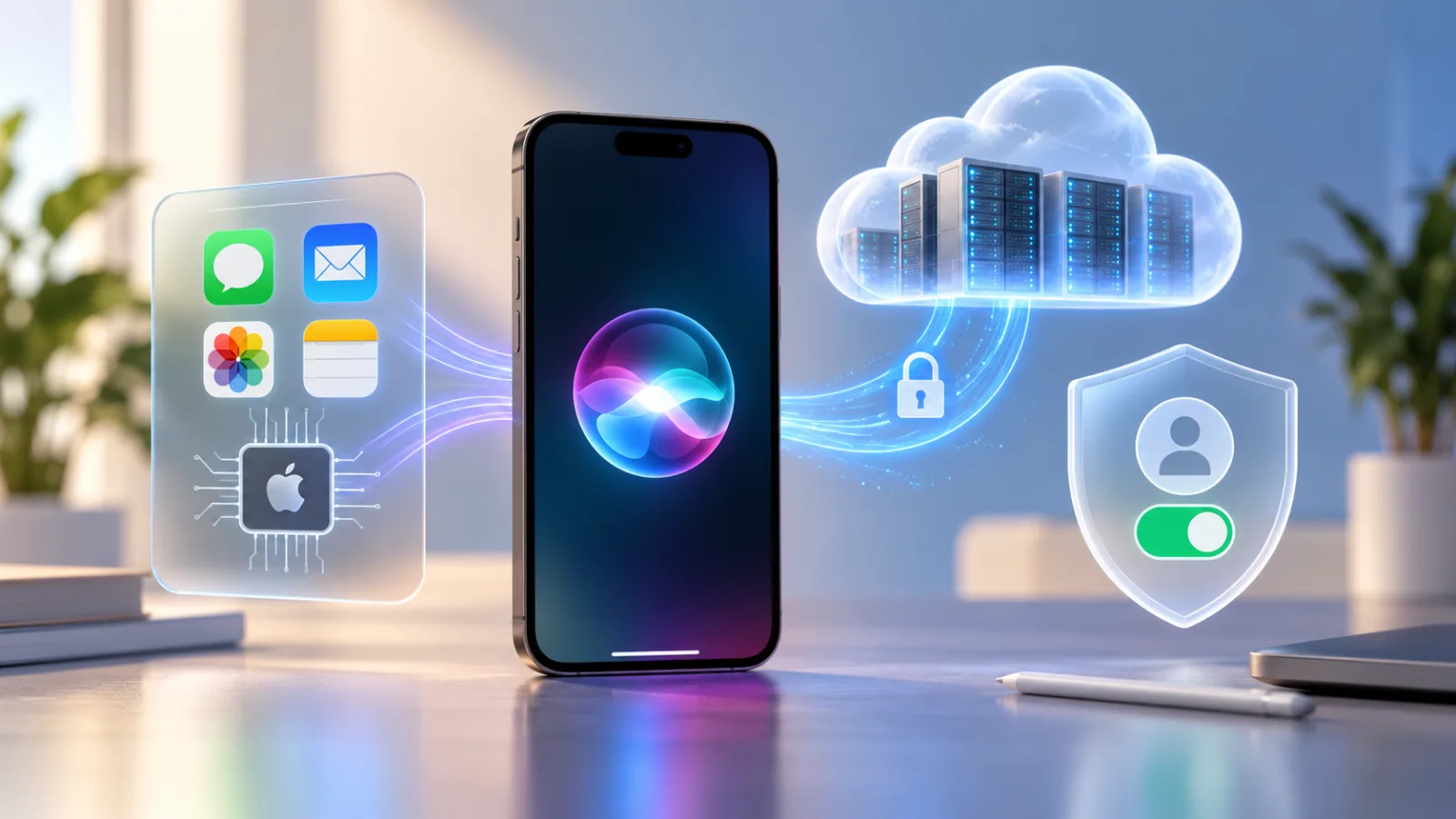
A useful first question is: where did the warning appear? A notification, keyboard, call screen, messaging app, and search result are different surfaces. A privacy statement about one should not automatically be applied to the others.
| Feature | What it checks | Where warning appears | Default state | Main privacy behavior |
|---|---|---|---|---|
| Chat-notification Scam Detection | New message notifications from supported apps | Notification warning and details | On | Google says content is not sent to it unless you choose to share it. |
| Gboard inline warning | Suspicious-message context while replying; complete input scope is not specified | Above the keyboard in supported contexts | No separate keyboard-specific default documented in the reviewed sources | Google describes real-time, on-device processing. |
| Phone-call Scam Detection | Patterns in an active call | Call alert | Off | Google says detection does not retain or transmit call audio/transcripts. |
| Google Messages spam protection | Messages and spam signals within Google Messages | App warning or spam folder | Automatically enabled where available | Combines local detection with other processing, including URL checks. |
| Circle to Search / Google Lens | Text or images the user selects for analysis | Search analysis | User-triggered check | Uses Google's search/AI systems; do not apply the notification feature's privacy promise. |
Sources: Pixel Help, the Pixel Drop announcements, Phone app Help, Messages Help, and Google's Search announcement. [1–6]
The keyboard is presented as an additional chat-warning surface. The table separates it because its rollout and documented trigger differ—not because Google has published evidence of a completely independent underlying model.
What chat-message Scam Detection actually looks at
Google's current description identifies new message notifications from supported apps as the input. [1]
That is narrower than continuously inspecting every open conversation. It does not establish access to a complete thread, old messages, attachments, or everything displayed inside a messaging app. A notification-based description also cannot establish what happens when an app provides little or no readable message content in its notification.
For example, “your delivery payment failed” might be one piece of a longer conversation. The documented notification input is a reason to avoid assuming the detector has the full context that you have. This is an interpretation of the described scope, not a measured finding from device testing.
What happens when Pixel thinks a message is a scam?
Google documents this notification flow: [1]
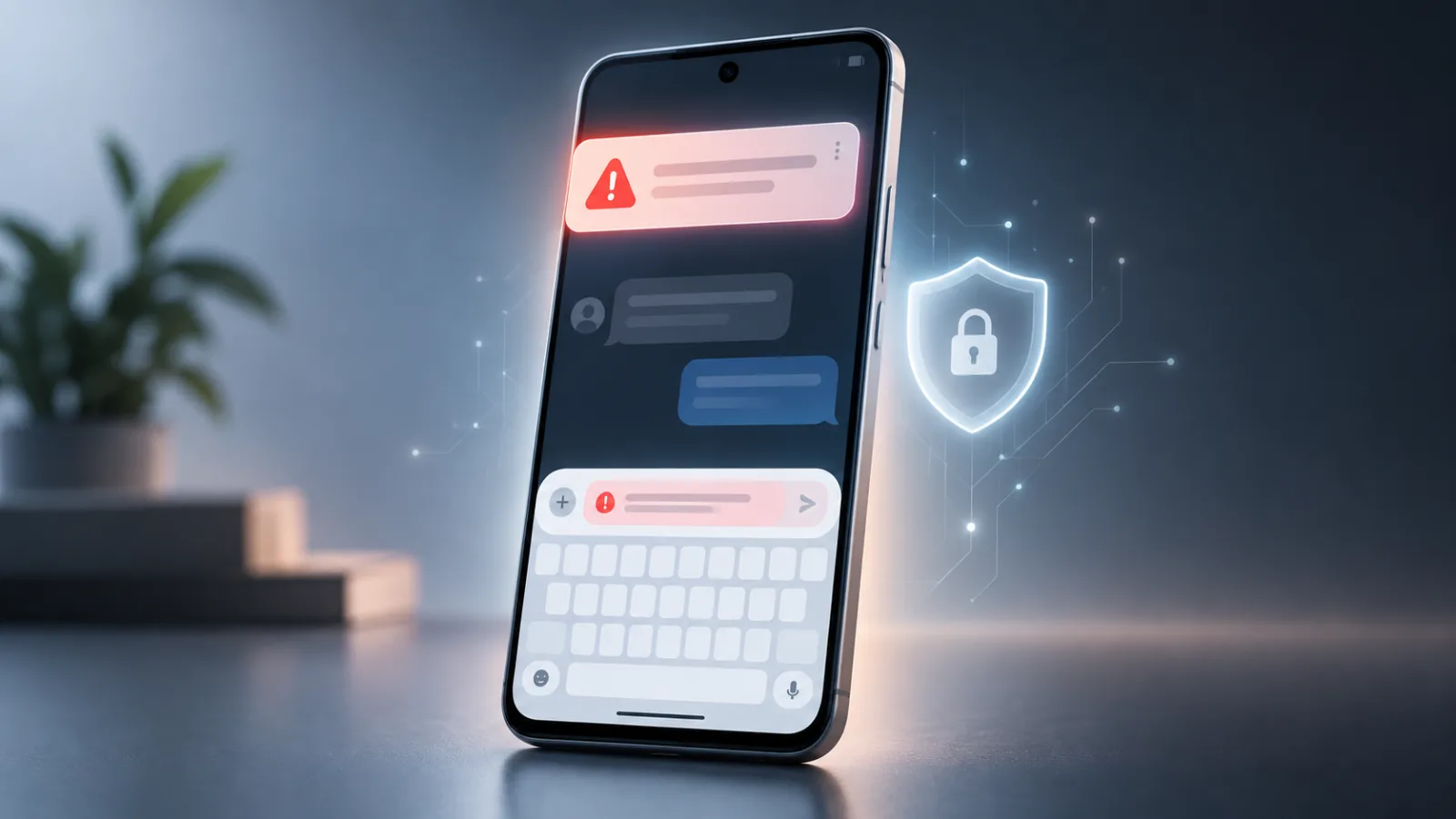
- A suspicious notification shows a red warning icon. Expand it to see Likely scam.
- Tap Likely scam to inspect the explanation and options. OK closes the notification; More details provides additional information.
- Done marks the message as a scam. Not a scam marks it otherwise.
For U.S. users, the warning can also appear beneath the message in the notification panel, in the keyboard, or both.
Choosing Not a scam temporarily disables detection for that conversation. Google describes the interval as “for a while”; it does not specify a duration. Do not treat that action as simply hiding one warning without affecting subsequent detection. [1]
Is your message sent to Google?
For this chat-detection feature, Google says processing takes place in a secure, isolated environment, and message content is not sent to Google unless you choose to share it. [1]
There is an optional feedback route after an alert. Google says it receives only the selected message's content, with common identifying information removed. The documented scope is a selected message, not automatic submission of the conversation. [1]
That distinction matters when deciding whether to contribute feedback. Removing common identifiers is not the same as a guarantee that a message contains no sensitive information or could never be recognizable from context. Read the sharing choice before accepting it.
This privacy statement applies to Google's detection feature. It does not describe the messaging app's own delivery, backup, or data practices, nor every other Google feature on the phone.
What does “secure, isolated environment” mean?
The phrase describes a protected processing boundary, but the reviewed chat Help page does not provide enough architectural detail to explain exactly how it is implemented. [1]
It does not specifically identify a hardware enclave, Private Compute Core, Gemini Nano, or end-to-end encryption as the mechanism for this notification feature. We therefore do not attach those labels to it.
There are two different questions: what Google promises about content handling, and what technical evidence independently demonstrates that promise. This article reports the documented promise; it is not an independent verification of the implementation.
Where is chat Scam Detection available?
The current Pixel Help page lists these countries for chat Scam Detection: [1]
| Region group | Listed countries |
|---|---|
| Americas | Canada, Mexico, United States |
| Europe | France, Germany, Spain, United Kingdom |
| Asia-Pacific | Australia, India, Japan, Singapore |
This is the notification eligibility list, not a claim that the keyboard warning works in all 11 countries.
The September announcement named nine additional countries alongside the existing U.S. availability. Spain appears in the current Help page but was absent from that announced expansion list. The current Help page controls the list above. Google also described a phased rollout, so a country announcement should not be read as proof that every eligible phone received the feature immediately. [1–3]
Which languages are supported?
The current chat Help page lists Arabic, English, French, German, Indonesian, Japanese, Portuguese, and Spanish. [1]
A supported country and a supported language are separate requirements. Google does not provide a complete country-by-language-by-warning-surface matrix in the reviewed material. In particular, do not assume that all eight languages apply to the Gboard warning: the rollout footnote limits that addition to selected languages in the U.S. [3]
Hindi is not in the current chat language list. India's inclusion therefore does not establish Hindi or Hinglish detection support. Nor should a keyboard's ability to type a language be treated as evidence that Scam Detection supports it.
Gboard's new inline “Likely scam” warning
Google's September 2026 Pixel Drop introduced a warning above the keys when you start replying to a suspicious message. The announcement names Pixel 6 and newer phones in the U.S. and describes real-time processing on the device. [2–3]
The current Help page still limits keyboard detection to U.S. users and selected apps. We found no official expansion beyond the U.S. in the sources reviewed on September 27. [1]
The announcement also includes a footnote about availability on other keyboards through Keyboard Suggestions. That is not a guarantee covering every keyboard or every app. [3]
The international expansion concerns notification warnings. Installing Gboard in India, or seeing India on the notification list, does not establish eligibility for the inline warning.
Is Gboard reading everything you type?
The feature needs some relevant input to identify a suspicious exchange, but the reviewed scam-specific documentation does not define the complete input scope. It does not say precisely how much incoming-message context, draft text, or conversation history is available to the detector. [1,3]
Google's general Gboard Help page separately says ordinary typed content such as chats is not sent to Google, while searches and some other functions involve data transmission. That general page is useful background; it is not a technical specification for this new warning. [7]
The supported conclusion is that Google describes scam-warning processing as on-device. The documentation does not justify claims of comprehensive keystroke logging, automatic cloud upload of all chats, or storage of entire threads. Equally, “on-device” alone does not answer every question about local inputs or retention.
We did not find a dedicated Gboard Help article that resolves those scam-specific details or supplies a complete supported-app list.
India: what works and what does not?
For readers in India, keep three eligibility checks separate:
| Feature | What the reviewed documentation establishes |
|---|---|
| Chat-notification warnings | India is listed; use the published language list rather than assuming support for every Indian language. [1] |
| Inline keyboard warnings | Still described as U.S.-only. [1–3] |
| Phone-call Scam Detection | India is included for eligible Pixel 9-and-later devices; Google separately restricts Pixel 9a and Pixel 10a to the U.S. [4] |
Call eligibility also depends on the SIM's country association and the phone being in a supported country. The reviewed call Help page does not provide a language list; the chat-language list should not be reused for calls. [4]
Message Scam Detection vs Call Scam Detection
The two features differ in their default setting, input, and controls. [1,4]
| Feature | Chat notifications | Phone calls |
|---|---|---|
| Default state | On | Off; opt-in |
| Device requirements | Current chat Help does not give a model cutoff; rollout context is discussed below | Pixel 6+ in the U.S.; eligible Pixel 9+ elsewhere, with stated exceptions |
| Region requirements | The 11-country list above | Separate supported-country and SIM requirements |
| Processing | Google describes an isolated environment and no content transfer without sharing | Explicitly on-device |
| Stored audio/transcript | Not a call-audio feature; call promises do not answer chat-retention questions | Google says detection does not store or transmit conversation audio or transcripts |
| Warning method | Notification icon and controls | Visual alert, sound, and vibration; periodic audible disclosure beep |
| Settings location | System Settings → Security & privacy → More security & privacy → Scam Detection → Message scams | Phone → More → Settings → Scam Detection |
The call beep occurs at the beginning and periodically while detection is active, informing participants. It is different from the alert indicating a suspected scam. [4]
Pixel 6 vs Pixel 9: why requirements differ
“Pixel 6+” is not a universal eligibility rule for every feature with Scam Detection in its name.
The September announcement names Pixel 6+ for the keyboard rollout and describes notification protection as already available on Pixel 6+ in the U.S. However, the current chat Help page does not give a model-by-country cutoff. We do not infer a fully specified worldwide device matrix from those two statements. [1,3]
For calls, Google's current list is more explicit: [4]
- U.S.: Pixel 6 and later.
- Australia, Canada, France, Germany, India, Ireland, Italy, Japan, Mexico, Singapore, Spain, and the U.K.: Pixel 9 and later, subject to the next exception.
- Pixel 9a and Pixel 10a: U.S. only.
Google attributes call detection on Pixel 9 and later to Gemini Nano, and earlier supported devices to other Google on-device machine-learning models. That attribution is for calls; it does not identify the model behind notification warnings. [4]
How Google Messages spam protection is different
Google Messages has its own spam filtering. It can suppress delivery or move suspected spam into a folder, and it offers reporting controls. It does not replace Pixel's notification checks across supported apps. [5]
Its documented data handling is also different: local models detect patterns, URLs can be sent to Google for safety checks, and Google says unencrypted-message content may be processed briefly for spam detection, with resulting signals used to improve detection models. Consequently, describing all Messages spam protection as entirely local would be inaccurate. [5]
Where available, it is enabled automatically. Its control is Google Messages → profile picture or initials → Messages settings → Protection & Safety → Spam protection → Enable spam protection. The page does not provide a complete country/language/device matrix. [5]
Messages can receive spam/not-spam reports for Google and carriers. Reporting is a separate feedback flow; do not apply the Pixel selected-message sharing description to it.
Circle to Search and Google Lens are different again
These are checks you request yourself. With Circle to Search, hold the Home button or navigation handle and select the suspicious text. With Lens, take a screenshot, open Lens in the Google app, select the screenshot, and run the search. Google says its systems combine AI and web information to assess the message. [1,6]
Google describes the scam-analysis capability as global, with an overview appearing when its systems have sufficient confidence in response quality. Circle to Search itself requires a supported device; current Search Help includes Pixel 6 and later. Lens is available through the Google app on Android and iOS. The scam announcement does not provide a complete language matrix. [6,8]
These are not the automatic notification-processing path. The reviewed scam pages do not give a complete account of upload, retention, or feedback handling for these searches. They should not be described as entirely on-device or covered by the notification feature's no-sharing-unless-chosen promise.
To disable Circle to Search, Google's current Pixel instructions point to Settings → System → Circle to Search. Lens checking begins with your selected image and search action; no separate automatic scam-monitoring toggle is documented in the reviewed material. [8]
Does “Not a scam” train Google?
The documented immediate effect is a temporary pause in detection for that conversation. Google also offers a separate choice to share a selected message to improve Scam Detection. [1]
The documentation does not establish that tapping Not a scam by itself uploads a conversation or trains a model on its content. It also does not fully explain whether non-content feedback signals are recorded or how voluntarily shared content is retained and used internally.
“Improve detection” is not enough detail to identify a training pipeline, retention period, or human-review policy. Those remain unanswered in the reviewed chat documentation.
How to turn chat Scam Detection off
Google says chat detection is on by default. To change it: [1]
- Open Settings on your Pixel.
- Select Security & privacy.
- Open More security & privacy → Scam Detection.
- Turn Message scams off or on.
This is the documented chat control. Google does not publish a separate keyboard-only toggle or independent keyboard default in the reviewed sources. Check the Phone app separately for call protection and Google Messages separately for spam filtering.
What Scam Detection cannot guarantee
A detector's output is a reason to investigate, not a final judgment about a person or transaction. Google explicitly warns that detection can miss scams. [1,4]
Practical limits to consider include:
- New tactics: a message may not resemble a familiar scam pattern.
- Incomplete context: a notification may omit details relevant to your decision; the actual effect was not tested here.
- Unsupported contexts: an app, language, country, or warning surface may fall outside the documented support.
- False positives: a legitimate request can look suspicious.
- False negatives: a fraudulent request can receive no warning.
These are limitations and plausible failure modes, not measured error rates. We found no current accuracy metric in the sources reviewed that would justify attaching a percentage to this feature's reliability.
If Pixel warns you about a scam, what should you check?
Before replying, opening a link, or paying:
- Identity: independently confirm who contacted you; a familiar display name is insufficient.
- Domain and destination: check the actual address, not only the brand name in the message. Do not open a suspicious link just to investigate it.
- Payment: ask whether the charge is expected and whether the recipient matches the business you intended to pay.
- Credentials: stop if an unsolicited sender requests your password, one-time code, or approval of a login you did not initiate.
- Pressure: treat deadlines, threats, and demands for secrecy as reasons to pause.
- Recovery requests: verify unexpected account-recovery instructions through the service itself.
Open the official app or use a website or phone number you already trust. The FTC similarly advises verifying suspicious messages through a known contact route rather than the details supplied in the message. [9]
If the message involves a purchase or an AI-selected seller, DECODISTA's AI Shopping Agents and Scam Risk: What to Check Before Letting a Bot Buy for You explains the separate checks to make before authorizing payment.
Privacy checklist for Pixel Scam Detection
- Identify the warning surface before interpreting its privacy promises.
- Review the Message scams toggle and decide whether to keep chat detection enabled.
- Read any optional sharing prompt before contributing message content.
- Check the current country and language lists for your intended feature.
- Distinguish an incoming notification warning from the newer keyboard warning.
- Review call detection in the Phone app separately.
- Keep the phone and relevant apps updated; allow for phased feature rollouts. [3,4,7]
- Continue verifying unexpected requests even when no warning appears.
FAQ
Is Pixel Scam Detection on by default?
Chat detection is on by default. Call detection requires opt-in. A separate keyboard-specific default is not documented in the reviewed sources. [1,4]
Does Pixel Scam Detection send my messages to Google?
For chat detection, Google says content is not sent unless you choose to share a selected message. Google Messages spam protection and manual search checks have different rules. [1,5–6]
Does Pixel read my whole conversation?
The notification feature is documented as analyzing new notifications, not full threads. The keyboard feature's complete input scope is not specified. [1,3]
What happens if I tap Not a scam?
Chat detection pauses for that conversation for an unspecified interval. Optional content sharing is a separate choice. [1]
Can I share a scam message with Google?
Yes. After an alert, Google offers selected-message sharing to improve detection, with common identifying information removed. [1]
Is Gboard Scam Detection available in India?
The reviewed documentation still restricts keyboard warnings to U.S. users. India's notification support does not change that. [1–3]
Which Pixel phones get Gboard scam warnings?
Google's September rollout names Pixel 6 and newer in the U.S., subject to supported contexts and languages. [3]
Does Scam Detection work with WhatsApp?
The reviewed documentation does not provide a complete app list confirming WhatsApp eligibility for these notification and keyboard warnings. Do not infer support from unrelated Google features.
Does it work with Telegram?
We could not verify Telegram eligibility from the official feature documentation reviewed. The same supported-app limitation applies. [1,3]
Does call Scam Detection use Gemini Nano?
Google attributes the feature on Pixel 9 and later to Gemini Nano; earlier supported devices use other on-device models. [4]
Is call Scam Detection the same as message Scam Detection?
No. Its input, opt-in setting, eligibility, alerts, and privacy wording are separate. [1,4]
Can Scam Detection miss a scam?
Yes. No warning is not a safety certificate. Treat an unexpected request with the same care either way. [1,4]
How do I turn message Scam Detection off?
Use Settings → Security & privacy → More security & privacy → Scam Detection → Message scams. [1]
Is Google Messages spam protection the same thing?
No. It is an app-specific filtering system with separate controls and data handling. [5]
Does Circle to Search use the same privacy model?
Do not assume so. It is a user-triggered search and AI analysis, not the automatic notification check. Its scam documentation does not provide an equivalent on-device-only promise. [6,8]
Sources & Verification
Verified September 27, 2026. This is documentation-based reporting. No hands-on Pixel testing, packet capture, or independent privacy audit was performed. Google privacy and security statements are attributed claims, not independently tested findings. Current Help documentation takes precedence over launch lists where they differ.
Official Google sources
- Pixel Phone Help — Protect yourself with spam & scam detection on your Pixel phone. Current chat eligibility, languages, warning controls, defaults, sharing, and manual scam-checking instructions.
- Google Pixel Blog — September Pixel Drop: New Pixel VIP updates, Pixel Watch features, and more, September 15, 2026. Confirms the U.S. inline Gboard addition and international notification expansion.
- Google Pixel Community — September 2026 Pixel Drop, September 15, 2026, official Community Manager announcement. Device and rollout wording, on-device keyboard processing, language/keyboard footnotes. Reviewed through retrieved indexed announcement text because the direct page extraction returned a Help shell.
- Phone app Help — Use Scam Detection. Current device/country/SIM requirements, call models, defaults, audio/transcript privacy statement, alerts, and controls.
- Google Messages Help — How Google protects your privacy with spam detection. Local models, URL checks, unencrypted-message processing, reporting, default, and settings.
- Google Search Blog — Use Circle to Search and Google Lens to spot scam messages, December 2, 2025. Manual checking, web/AI analysis, global capability announcement, and confidence condition.
- Gboard Help — Fix problems with Gboard. General keyboard privacy and update guidance; not treated as a specification for inline scam detection.
- Google Search Help — Search your screen with Circle to Search. Supported-device scope, invocation, controls, and Search settings context.
Other official consumer-safety guidance
- U.S. Federal Trade Commission — How To Recognize and Avoid Phishing Scams. Independent verification of unexpected messages and phishing precautions.