Siri AI Privacy in iOS 27: What Apple Collects, What Stays on Device, and What “Improve Siri & Apple Intelligence” Shares
Siri’s processing, saved history, and optional training contribution follow different rules. Here is how to tell them apart before sharing personal information.
Information checked on:
Key takeaways
- On-device processing handles many tasks, but does not describe every Siri request.
- PCC’s no-storage protection concerns its request processing.
- Ordinary Siri can retain request history without retaining audio.
- Improvement sharing is optional and broadens collection.
- Foundation-model training requires the explicit improvement choice under Apple’s stated policy.
- Selected interactions can receive human review.
- The ChatGPT extension introduces a separate provider and account-dependent rules. [3–6, 8, 10]
Siri AI changes the privacy question
Apple began rolling out Siri AI in English beta on September 14, 2026, with iOS 27 and its other new software releases. It can use personal context from messages, email and photos, understand onscreen information, and perform actions across apps. The privacy question now includes both what you ask and what context helps answer it. [1, 2]
Availability is not universal. Apple’s launch notices exclude Siri AI initially from iPhone, iPad and Apple Watch in the EU, and from China while regulatory requirements are addressed. Supported hardware and language settings also matter. [1, 2]
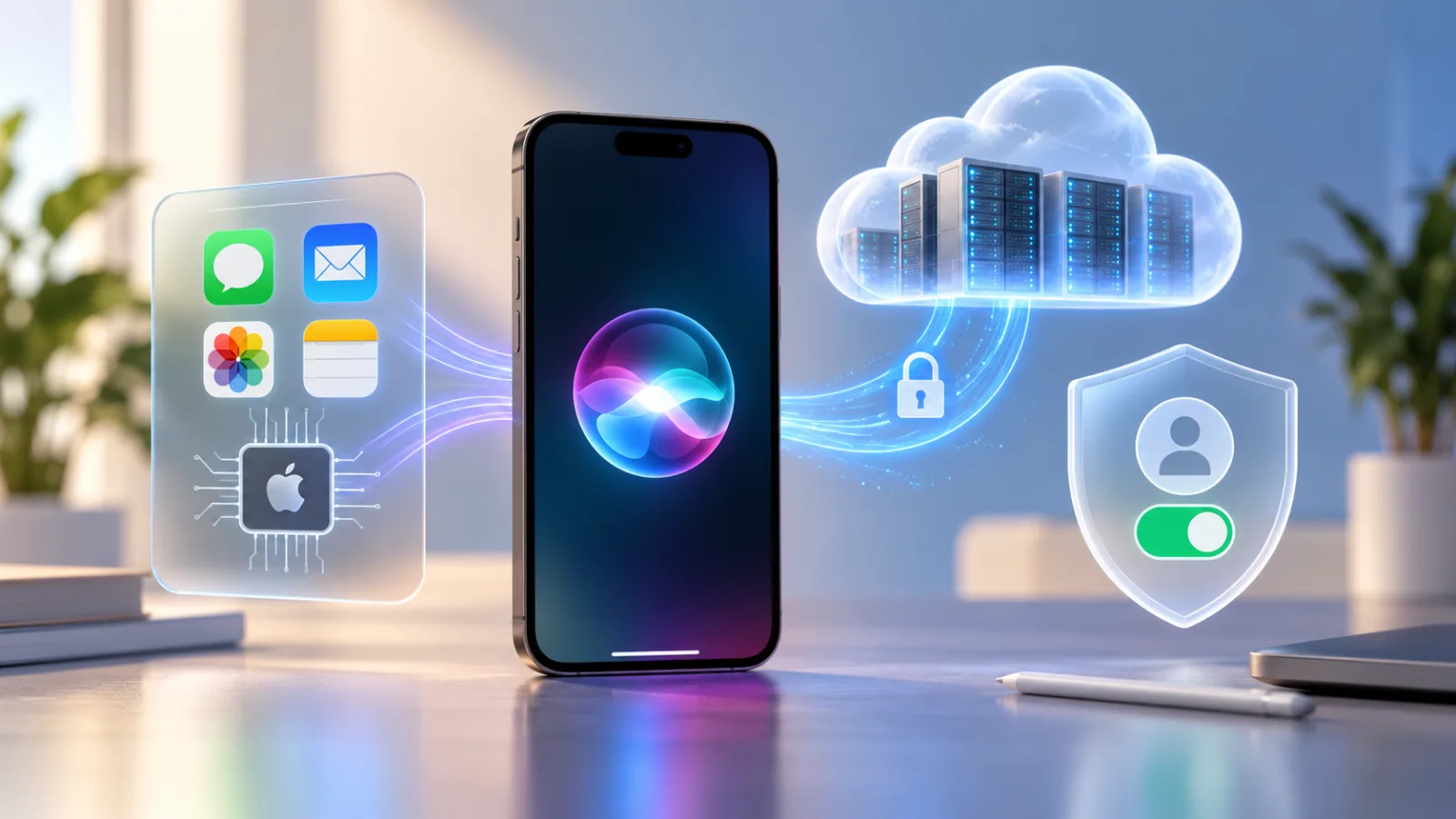
Three processing paths—and a separate improvement choice
The fourth row below is an additional collection permission, not an alternative place to execute a request.
| Data path | What it is | Where processing happens | What Apple says about storage | Used to train models? |
|---|---|---|---|---|
| On-device Apple Intelligence | Local model inference and context handling | Your device | Local history or personalization can exist | Local personalization is separate from foundation-model training; check improvement sharing |
| Private Cloud Compute | Larger models for suitable tasks | PCC infrastructure | Request content is not retained by PCC | PCC fulfillment is not a retained training dataset |
| Default Siri/Siri AI request handling | Siri’s ordinary service and history layer; exact boundaries remain incompletely mapped | Device and, where needed, servers | Siri transcripts and metadata can be retained | Some language-model improvement is permitted; do not equate it with foundation-model training |
| Improve Siri & Apple Intelligence | Optional contribution of interactions | Collected and processed by Apple; its policy permits trusted service providers | Broader interaction records can be retained | Yes, including Apple foundation models |
Sources: [3–6, 9–11]. No row establishes the complete journey of every possible Siri task.
What stays on your iPhone?
On-device models can work with personal context without uploading an entire personal archive. Apple says Siri AI’s Spotlight index and App Toolbox operate on device. These help find relevant information and available app actions; they do not establish that every subsequent answer or action is offline. [2, 5]
Apple’s developer explanation describes a system orchestrator coordinating these capabilities. An app can contribute searchable content and expose actions through App Intents. That local coordination should not be confused with permission to retain an interaction for training. [14]
Local history also needs a qualification: Apple advertises iCloud syncing of conversational history in the Siri app. “Stored on your device” therefore should not be read as “only one copy can ever exist.” User-facing history, synchronization and improvement records are different questions. [1]
When Siri sends information to Apple servers
Apple’s default Siri notice permits server audio processing when local processing is unavailable, but says audio is not stored without improvement opt-in. It separately permits Siri transcripts, request metadata and relevant context; approximate location can be included when enabled. Processing audio and retaining audio are different operations. [4]
For example, a request can require a server to understand or answer it without that fact alone proving that its audio becomes a long-term recording. Conversely, local speech recognition does not prove that every later stage of a task remains local.
What Private Cloud Compute does
PCC supplies additional computing capacity for tasks that need larger models. Apple describes sending the information needed for the task, processing it for the answer and returning the result without retaining that request content. [5, 7]
Its security architecture aims to prevent privileged access to user content and lets researchers inspect published software. Those are documented design commitments, not a claim that a system cannot have vulnerabilities. [7, 13]
Apple also discloses limited operational measurements, such as request size and execution time, that exclude prompt and response content. A no-retention claim about content is not a claim that the service produces no operational metrics. [5]
Default Siri request history vs Private Cloud Compute
The two notices describe different scopes: Siri’s service history and PCC’s computation. Keeping a Siri transcript under a service policy is not the same operation as retaining a PCC prompt inside PCC.
However, Apple’s reviewed pages do not provide an exhaustive mapping showing which iOS 27 Siri AI interactions generate ordinary server history alongside—or instead of—PCC processing. This article therefore does not claim that every Siri AI conversation is retained, or that entering PCC guarantees no separate Siri record exists. [3–5]
That is a documentation boundary, not evidence of a hidden data flow.
What “Improve Siri & Apple Intelligence” changes
With Siri AI enabled and this opt-in selected, Apple’s legal notice permits collection of spoken and typed requests, audio, transcripts, responses, conversations and associated metadata. Dictation and Translate are included. The legal permission can cover all interactions; human review concerns a subset. [3]
Apple Support uses shorter language about samples. For the scope of collection, this article follows the more specific legal notice rather than interpreting “sample” as a guaranteed collection limit. [3, 10]
Does Apple use Siri AI conversations to train its models?
Apple says it may use Siri AI interaction data to train its foundation models if you explicitly opt in to Improve Siri & Apple Intelligence. Apple’s current foundation-model research statement makes that choice the exception to its protection against using private personal data and interactions for foundation-model training. [11]
That is narrower than saying no improvement happens otherwise. The default Siri notice permits transcript use for certain language-processing improvements. The older Improve Siri & Dictation notice describes improvement of Siri and related features, whereas the new program expressly adds foundation models. [4, 9]
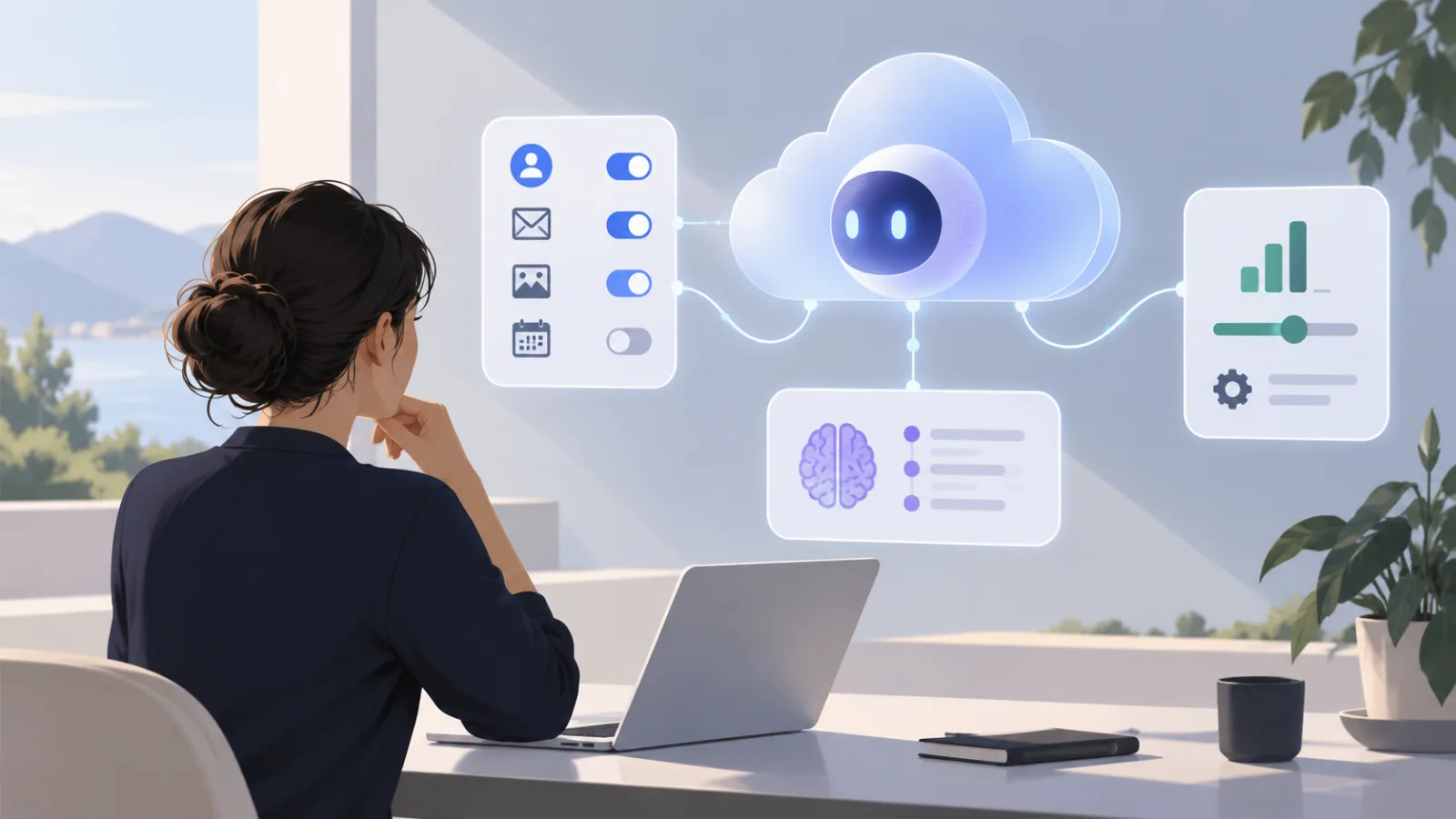
History, personalization and training should be checked independently. DECODISTA’s Gemini Temporary Chat vs. Keep Activity Off explains that same distinction for Google’s consumer assistant; its settings do not govern Siri.
What Apple says it does NOT collect for improvement
The new improvement notice excludes supplied photos and attachments, notification content read aloud, and information searched on device. It also describes removing personal details such as phone numbers and email addresses, and certain message, email and search content from collected material. [3]
These exclusions concern the improvement dataset. They are not a promise that an attachment can never be processed to answer a request or sent to an extension you choose. Removal measures should not be described as perfect anonymization.
Is the data tied to your Apple Account?
Apple says request data uses device-generated random identifiers rather than your Apple Account. The current notices describe identifiers rotating multiple times per hour; the new improvement notice also permits linking identifiers when a conversation resumes. [3, 4, 9]
Account separation reduces one direct association. It does not make identifying content in a conversation inherently impossible to recognize. Apple says request history is neither sold nor used for marketing profiles. [10]
How long can Apple keep the data?
| Record | Documented retention boundary |
|---|---|
| Default Siri transcripts and related request data | Up to two years; reviewed subsets may remain longer [4] |
| New improvement-program data | Up to two years; reviewed subsets may remain longer [3] |
| Older Improve Siri & Dictation records | Up to two years, with the reviewed-sample exception [9] |
| PCC request content | Not retained by PCC after fulfillment [5, 7] |
| Local or synced conversation history | Separate from these improvement-retention windows; no universal expiry established here [1, 4] |
“Up to two years” is not an across-the-board deletion deadline because reviewed samples have a longer-retention exception.
Can humans review Siri AI interactions?
Apple permits review of selected interactions. Its documentation restricts Siri/Dictation audio access to Apple employees under confidentiality obligations; relevant context can accompany a review. Non-audio reviewers are described more broadly as graders. [3, 9, 10]
This is permission for selected review, not a statement that every interaction is heard by a person. Nor does switching off audio sharing establish that ordinary Siri transcripts cannot be reviewed. [4]
How to turn off Improve Siri & Apple Intelligence
On iPhone:
- Open Settings.
- Select Privacy & Security.
- Open Analytics & Improvements.
- Turn off Improve Siri & Apple Intelligence.
Apple Support confirms this label for Siri AI users. Other users have Improve Siri & Dictation. These are opt-in choices offered during setup or first use; check your actual setting, including on connected devices. Siri AI availability depends on hardware, region and language. [10]
The path was verified against documentation, not by operating an iOS 27 device.
What happens after you turn the improvement setting off?
Turning it off withdraws the ongoing improvement-sharing choice. Do not treat that action as a deletion receipt for previously contributed data.
The reviewed documents do not clearly promise that this toggle erases every prior contribution, removes reviewed samples, or reverses training already completed. The retention exceptions above still need to be considered. That uncertainty should remain visible wherever a guide describes the setting as “turning off training.” [3, 10]
Apple’s broader privacy page also describes deletion of identifier-associated server records, with exceptions for older and reviewed requests. But it retains six-month identifier wording that does not cleanly match the newer legal notices’ faster rotation. We cannot use those passages to promise one universal iOS 27 deletion result. [4, 6]
Siri AI history: what is stored on your device?
Local transcripts can personalize Siri. Apple’s Siri AI improvement notice points to Settings → Siri → Turn Off Siri, then Turn Off Siri, for deleting device-stored transcripts. It also describes deletion when both Siri and Dictation are disabled. [3]
The ordinary Siri and older improvement notices instead document Settings → Siri → Siri & Dictation History → Delete Siri & Dictation History. These are differently scoped instructions, not interchangeable evidence that every server copy disappears. [4, 9]
Before clearing history, distinguish the record you see, any synchronized conversation history, and previously collected improvement samples. Apple does not reconcile all three into one guaranteed deletion workflow in the pages reviewed. [1, 3–6]
ChatGPT extension changes the data flow
The extension starts off. Once enabled, an explicit request to use ChatGPT can go directly there; otherwise Siri can ask permission, and Confirm ChatGPT Requests can be changed under Settings → Apple Intelligence & Siri → ChatGPT. [8]
Selected prompts, attachments and limited context reach ChatGPT. Apple says the IP address is obscured, while an approximate geographic location is supplied. Apple collects operational information too; Siri improvement sharing can separately add Apple-held request records. [3, 8]
An OpenAI no-training rule therefore does not, by itself, describe Apple’s separate copy or improvement choice.
ChatGPT without an account vs signed in
| Mode | What OpenAI receives | Storage and training | Applicable controls |
|---|---|---|---|
| Without an account | Submitted content and limited request context; no Apple Account-linked information | Request fulfillment only; no training; retention only where legally required | Apple’s extension terms |
| Signed in | Requests, attachments and session information through the connected account | May be logged and used for improvement depending on account settings and policies | ChatGPT account settings and OpenAI policies |
This comparison follows Apple’s extension notice. Signing in does not mean training necessarily occurs; it changes which controls apply. [8]
Siri AI and Google/Gemini infrastructure
Three relationships need separating. Apple says its newer foundation models were developed using technology from Google’s Gemini family. It also describes extending PCC to Google Cloud infrastructure using NVIDIA GPUs. Neither statement means Siri simply submits your conversation to the consumer Gemini chatbot. [11, 12, 14]
Apple’s security account says PCC’s privacy requirements continue on the hosted infrastructure and that Apple controls the approved PCC software. That is an architecture claim; this article has not independently audited the deployed fleet. The June expansion announcement discussed a staged rollout, so it is not evidence of every September request’s hosting location. [12]
What Apple’s privacy claims do—and do not—establish
The documents distinguish local inference, protected cloud inference, ordinary service records and voluntary improvement collection. They provide a basis for comparing those policies. They do not independently prove the outcome of every backend operation.
Two distinctions deserve particular care: private personal data is protected from foundation-model training unless you choose to contribute, while ordinary Siri still has service-improvement rules; and PCC content protections do not automatically describe optional improvement records. [6, 11]
A separate Device Analytics choice can also contribute privacy-preserving aggregate trends. It is not the same switch as sharing individual interaction content under the Siri improvement program. [5]
What to check before using Siri AI with sensitive information
These are DECODISTA’s practical recommendations:
- Ask whether the task actually needs personal context or an attachment.
- Review the improvement-sharing toggle instead of relying on your memory of setup.
- Check whether the ChatGPT extension is enabled and connected to an account.
- Inspect Siri’s app permissions and remove access you do not need.
- Avoid speaking passwords, recovery codes or unnecessary personal details aloud.
- Do not assume a complex request stays local. Apple documents an Apple Intelligence & PCC Report under Privacy & Security for inspecting supported off-device requests. [5]
- Revisit the controls after major updates, especially if labels or available features change.
You do not need to disable Siri to make a more informed sharing choice.
FAQ
Does Siri AI record everything I say?
The reviewed policies do not describe continuous storage of everything around you. Their recording provisions concern interactions; accidental activation is not ruled out by that distinction. Audio retention depends on improvement sharing. [4, 6]
Does Siri AI stay on my iPhone?
Only some processing does. Suitable tasks can use PCC, and enabled extensions introduce other providers. [2, 5, 8]
Does Apple store Siri transcripts?
Yes, the default Siri notice permits this. It does not map every new Siri AI interaction to one universal storage outcome. [4]
Does Apple use Siri AI conversations to train Apple Intelligence?
The explicit improvement choice permits foundation-model training. Ordinary service improvement and local personalization remain separate concepts. [10, 11]
Is Improve Siri & Apple Intelligence on by default?
Apple describes it as opt-in. Check the actual setting; connected devices can inherit a setup preference. [10]
How do I turn it off?
Open Settings → Privacy & Security → Analytics & Improvements and disable the named improvement control. [10]
Does Apple connect Siri data to my Apple Account?
Apple says these request records use random identifiers rather than account association. That is not a guarantee of irreversible anonymization. [9]
How long does Apple keep Siri AI data?
It depends on the record. The retention table separates PCC, ordinary history and improvement contributions, including reviewed-sample exceptions. [3–5, 9]
Can Apple employees listen to Siri audio?
Selected shared recordings can be reviewed. Apple restricts audio review to its employees. [9, 10]
Does Private Cloud Compute store my requests?
Apple says PCC does not retain request content after processing. Separate service records and operational metrics require their own assessment. [5, 7]
Does Siri AI send my data to Google Gemini?
The documented model collaboration and Google Cloud hosting do not establish a handoff to the consumer Gemini service. [11, 12, 14]
What happens when Siri uses ChatGPT?
Chosen request content goes to another provider. Review both the extension choice and account connection. [8]
Does OpenAI train on Siri ChatGPT requests?
Without an account, Apple prohibits it under the extension terms. Signed-in use follows account settings and OpenAI policies. [8]
Can I delete Siri history?
Apple documents history controls, but local deletion and complete erasure of retained improvement data are different claims. See the history and opt-out sections before assuming both happen together. [3, 4, 6, 9]
Sources & Verification
Verified September 26, 2026. This is a documentation-based article. No packet capture, backend inspection or hands-on privacy audit was performed. Settings paths were checked against official instructions. The PCC guide’s full JavaScript-rendered text was not accessible through the research interface; its indexed summary was checked, and substantive architecture claims were cross-checked against Apple’s accessible security publications and legal notice.
Official Apple sources
- Major updates for Apple’s software platforms are now available — September 14, 2026; rollout, scope, availability and history synchronization.
- Siri AI, a profoundly more capable and personal assistant, is here — September 14, 2026; capabilities and on-device components.
- Improve Siri & Apple Intelligence & Privacy — dated September 14, 2026; new opt-in, exclusions, retention and local-history instructions.
- Siri, Dictation & Privacy — dated September 14, 2026; default processing and history.
- Apple Intelligence & Privacy — dated September 14, 2026; local/PCC processing, metrics, reporting and Device Analytics.
- Privacy — Features — current page checked; foundation-model policy, Siri improvement and deletion wording.
- Private Cloud Compute Security Guide — indexed overview checked; full-text access limitation stated above.
- ChatGPT Extension & Privacy — dated September 14, 2026; extension, confirmation, provider and account rules.
- Improve Siri and Dictation & Privacy — dated September 14, 2026; older/non-Siri-AI improvement program.
- Turn Improve Siri & Apple Intelligence or Improve Siri & Dictation on or off — published September 16, 2026; labels, device scope and exact path.
- Introducing the Third Generation of Apple’s Foundation Models — updated September 9, 2026; models, Google collaboration and training exception.
- Expanding Private Cloud Compute — June 8, 2026; third-party hosting and stated safeguards.
- Private Cloud Compute: A new frontier for AI privacy in the cloud — architecture and research transparency; used with current sources, not as proof of all 2026 implementation details.
- Platforms State of the Union — WWDC26 — official transcript; model collaboration, personal context and app actions.
No independent reporting is used as factual evidence in this article.